- Launch SMS – Select Setting- Select FR Setting- Add new Camera
Built in webcam it will be added by default.
- Using and IP Camera
You need to know your Camera RTSP (Real Time Streaming Protocol) URL ( See Some Examples)
- Hikvision Example: – Steaming IP 192.xx.xx.xx:554/Streaming/channels/101/
- Dahua Example: – Streaming IP 192.xx.xx.xx:554/cam/realmonitor?channel=1&subtype=1
- Using analogy Camera connect Via DVR (Digital Video Recorder)Enter your DVR IP URL 192.xx.xxx.xx:554/Streaming/channels/101/
- Channel No 101 for Camera 1 if you require ad more camera the Next cameras will have te same URL but all you need to change channel to 201 , 301,401,501,601,701,801,901
- Tiandy: Streaming IP 192.xx.xx.xx:554
/ch01/realmonitor?subtype=0
- Connecting Via External IP address
Example: – Public Streaming IP/URL:- 188.xx.xx.xx:port no /Streaming/channels/101/
Each camera must have its own port number 188.xx.xx.xxx: Port no/Streaming/channels/101/
- Using PLC for Access Control
Currently we support 2 type of PLC.
- Wave-Share PLC
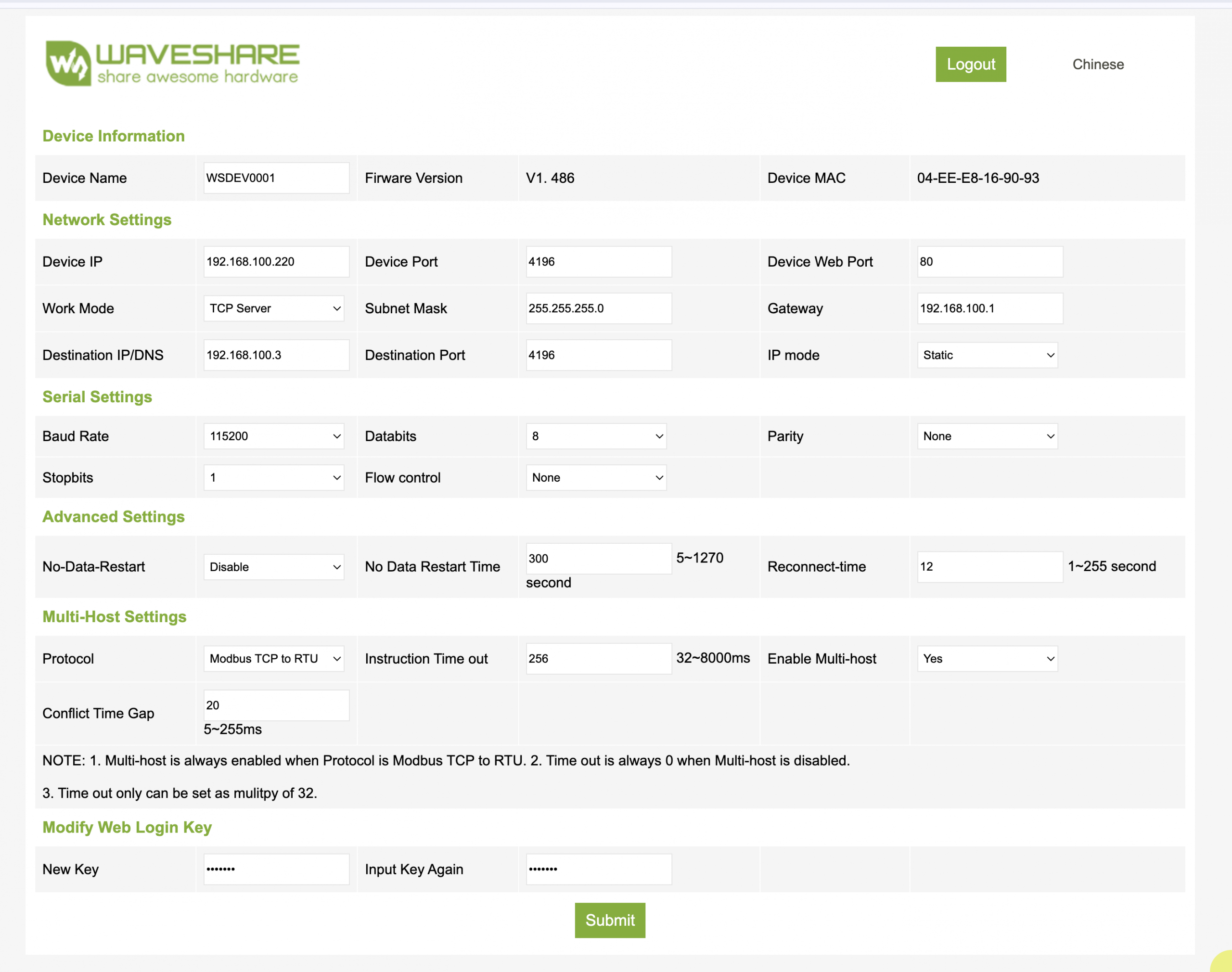
Enter you PLC URL Exmple:- 192.168.100.100:4196/1
- 4196 – Device port can be changed to your requirment
- 1 – is the port number you want to use to for access
See Image for better understanding (Wave-Share)
- Barix Barionet PLC
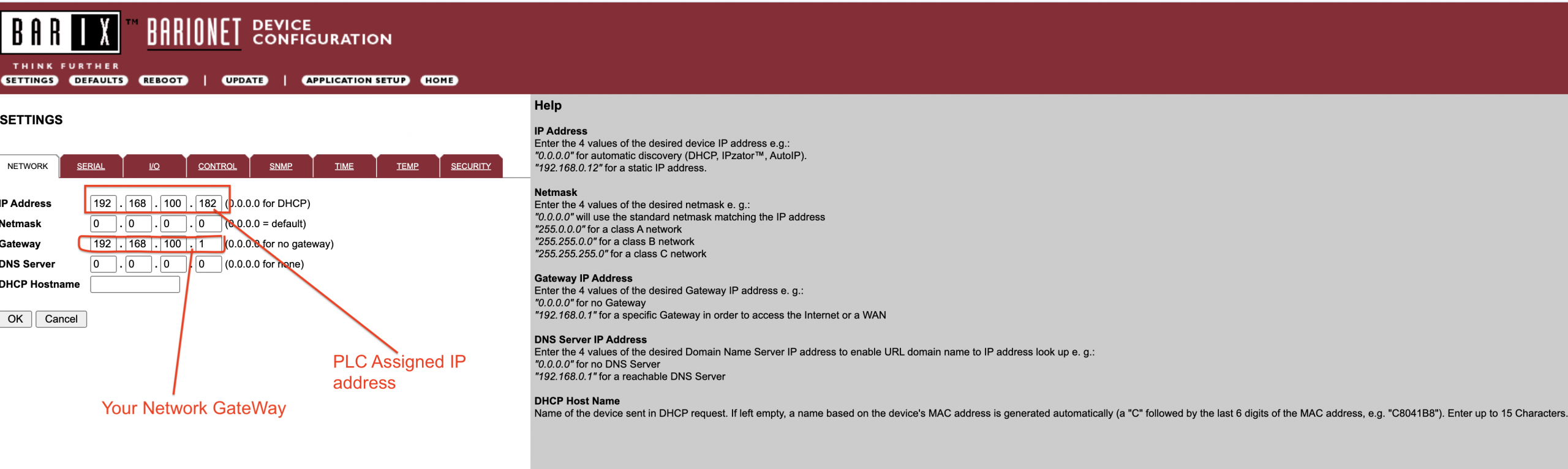
- URL Example: – http://192.168.100.182/rc.cgi?o=3,999
- 3– is the port number you want to use to for access
See Image for better understanding ( Barix )