-PLC Wave-Share ( Programmable logic controller) – How to configure?
Wave-Share PLC.
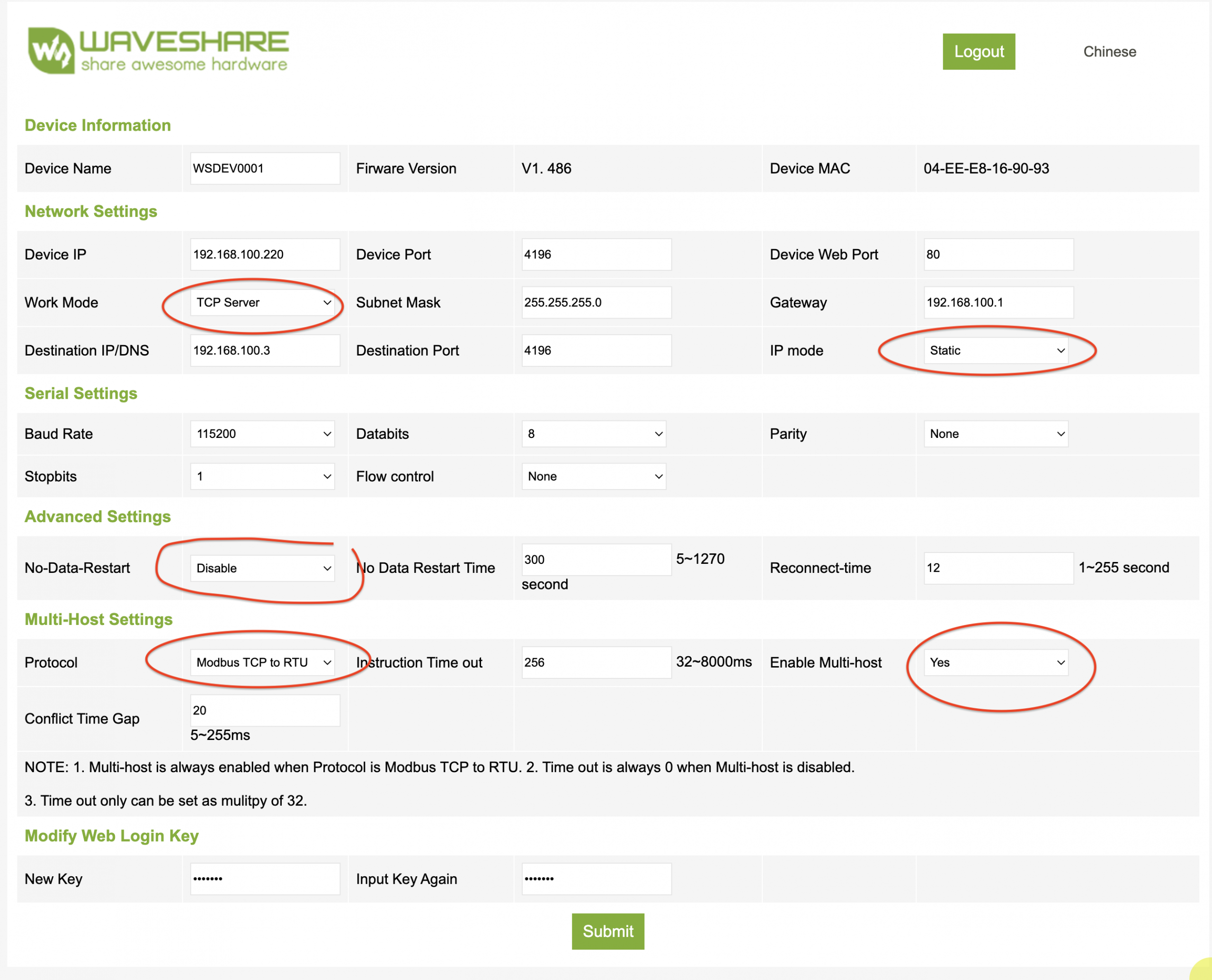
- – Download Virtual Serial & Device Management exe file . This One VirCom
- – Connect PLC to your network switch
- – Launch the VirCom App
- – Click on (Device)in the tool bar
- – Device Management window will open
- -Highlight and Select Edit Device
- – Configure your network range and port number to your requirement
- -Save as default and close
See attached mage for more clarification Here
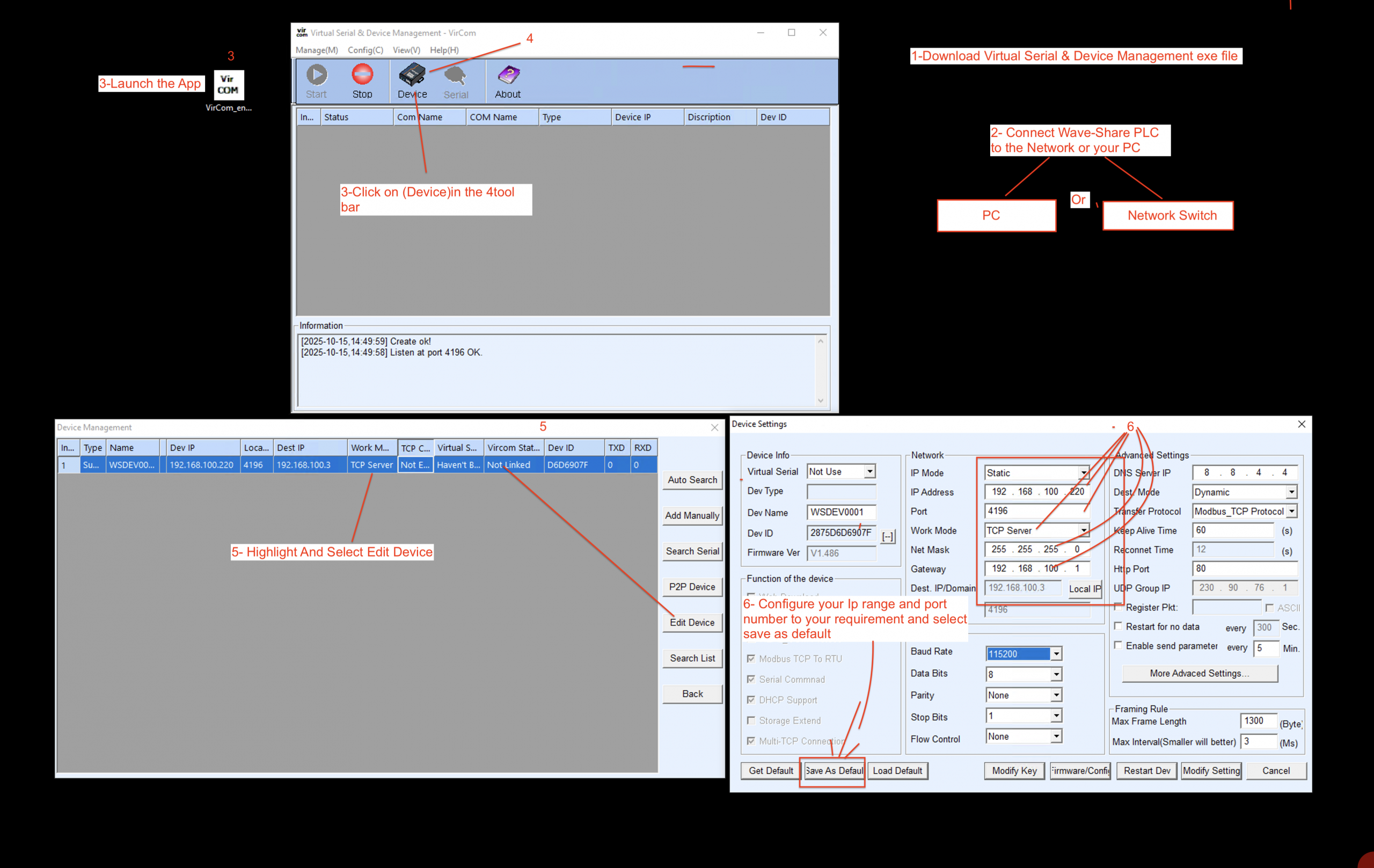
- Open browser
- Type in your PLC IP
- It should take you to a page like this also the insure the circled in red are set on your device the same (see Image)